A useful website redesign starts with a clear understanding of what visitors need to accomplish. They may want to compare services, check your work, book an appointment, or decide whether to contact you.
Before choosing a new layout, review how well your current website supports those tasks. This checklist will help you plan the rebuild, preserve useful content, and identify problems before launch.
1. Choose the main action you want visitors to take
Write down the most important action for each major page.
For a service business, that might be requesting a quote. For a clinic, it might be finding a location and booking an appointment. For a nonprofit, it could be joining an event or supporting a program.
Make the button match the action. “Request a Quote” gives visitors a clearer expectation than “Learn More” when the destination is a project inquiry form.
Also decide who receives each submission and what happens next. A form needs a working follow-up process.
2. Inventory what your current website already contains
Create a simple list of your existing pages and mark each one as keep, improve, combine, or remove.
Include:
- Service and location pages.
- Staff profiles and business information.
- Articles that still answer useful questions.
- Forms, downloads, and booking links.
- Customer reviews and completed projects.
- Products, checkout features, and payment connections.
Review analytics and Search Console data if available. A page that looks dated may still bring in useful visitors. Understand its purpose before removing it.
Save a copy of the original content and record important page addresses before work begins.
3. Make your services easier to understand
Read your service pages as someone who has never worked with you.
Can that person quickly identify:
- What you offer?
- Who the service is for?
- What is included?
- What they need to provide?
- How to take the next step?
Give distinct services enough space to explain their differences. A short list of technical terms rarely answers the questions a prospective customer has before reaching out.
For local businesses, include accurate service-area information where it helps visitors decide whether you can serve them.
4. Show completed work with context
Choose examples that demonstrate the kinds of projects you want to receive.
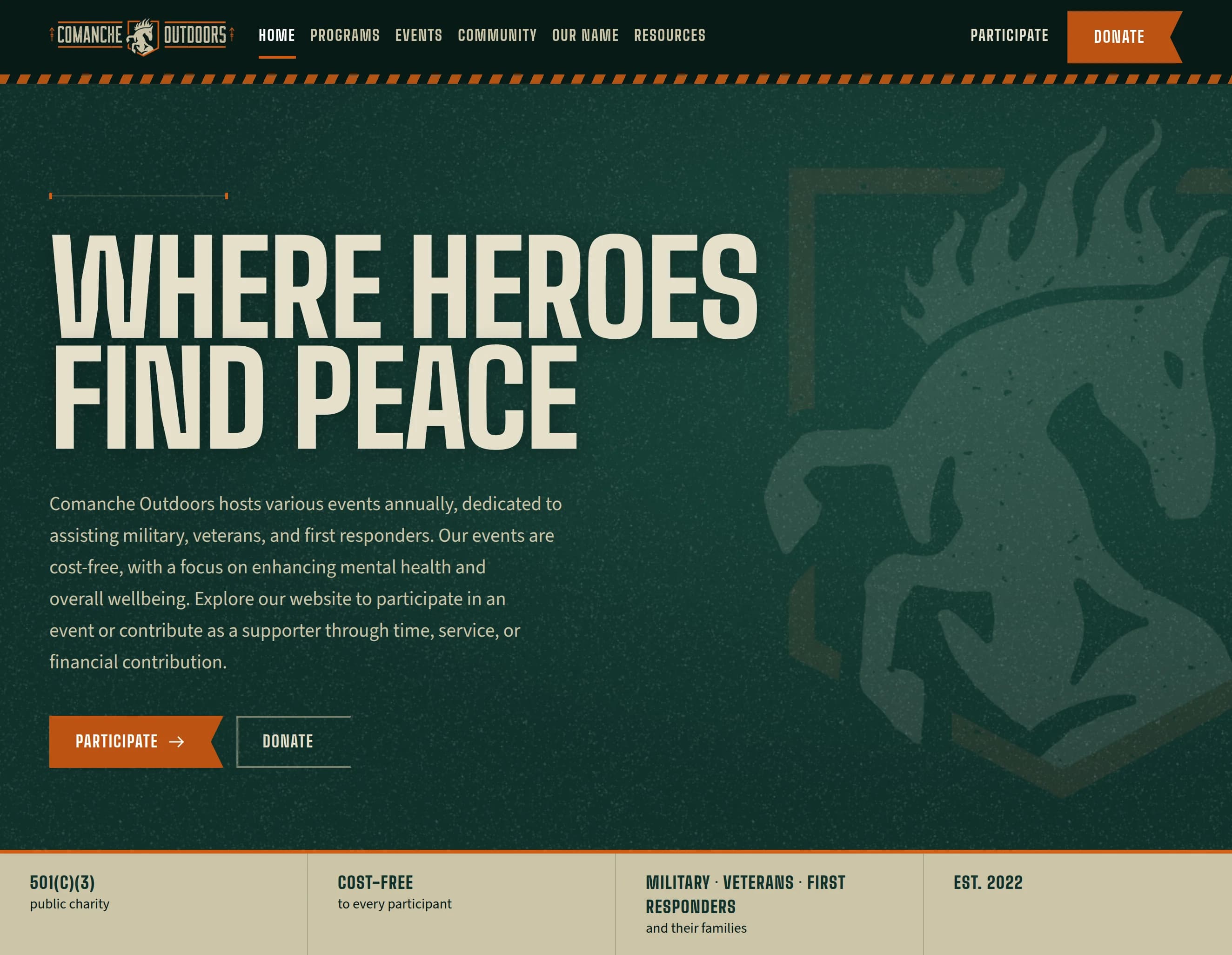
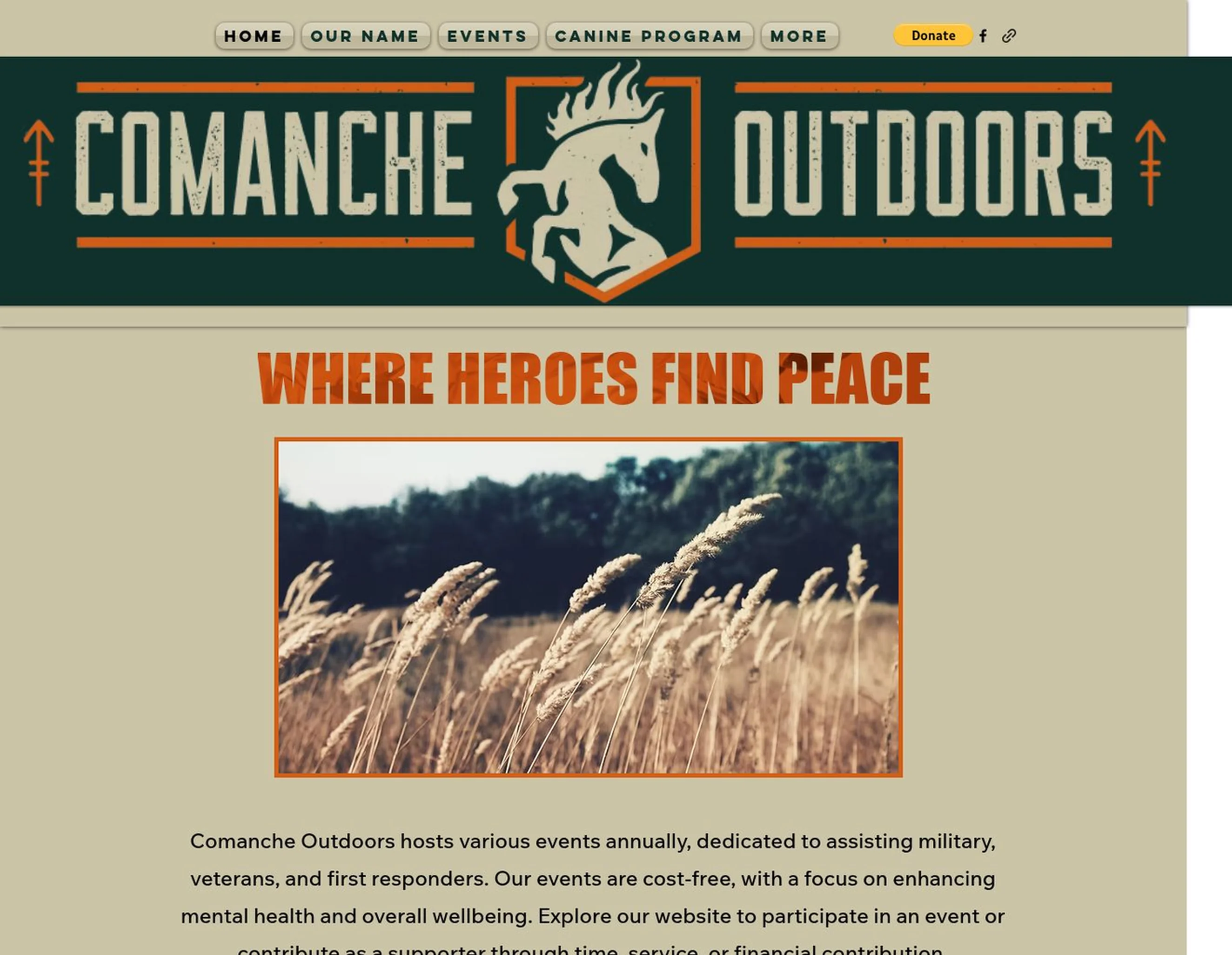
For each project, explain the original need, your contribution, and what the finished website or application allows someone to do. Pair that explanation with an actual screenshot.
VAHZOR’s Comanche Outdoors rebuild is one example. The website brings the organization’s mission, programs, community photos, and participation options into a consistent experience. Those specific details tell a prospective client more than a screenshot alone.
Use measured results when you have them. Otherwise, describe the delivered functionality clearly.
5. Plan for existing links and search traffic
If page addresses change, map each important old address to its relevant replacement. Implement permanent redirects where a suitable replacement exists, update internal links, and submit an updated sitemap.
Avoid sending every removed page to the homepage. Someone following an old service link should reach the closest relevant destination.
Google’s site-move guidance recommends planning URL mappings and monitoring the transition. Search visibility can fluctuate during a migration, so establish a baseline before launch and review performance afterward.
Reference: Google’s guidance on site moves and URL changes.
6. Test complete customer journeys
Open the preview website on a phone and a computer. Complete the same tasks a customer would.
Submit a test inquiry and confirm it reaches the intended recipient. Follow appointment links. Download documents. Check menus, phone links, location information, and confirmation messages.
For a store, use the payment provider’s test environment to check the purchase flow and the information your team receives for fulfillment.
Include keyboard navigation, readable text, and clearly labeled form fields in the review.
7. Confirm access and ongoing responsibilities
Before launch, confirm who controls the domain, hosting, website files, analytics, and connected accounts.
Write down who handles future content changes, technical issues, renewals, and support requests. If domain settings are changing, identify existing email records so website work does not unintentionally disrupt business email.
A clear handoff makes future updates easier.
Bring a short brief to your website designer
You can begin with five things:
- Your current website address.
- The main problem you want to solve.
- Three examples of content or features worth keeping.
- The action you want visitors to take.
- Any launch deadlines or business constraints.
If you are also planning your budget, read our guide to what a small-business website costs to build and maintain. If you are still choosing who to work with, our guide to hiring a web designer covers the questions to ask first.
VAHZOR provides website design and development for businesses and organizations in Stafford, Fredericksburg, Northern Virginia, and nationwide. Explore our selected work or discuss your website redesign with us.