
Website and application
Para Schedule
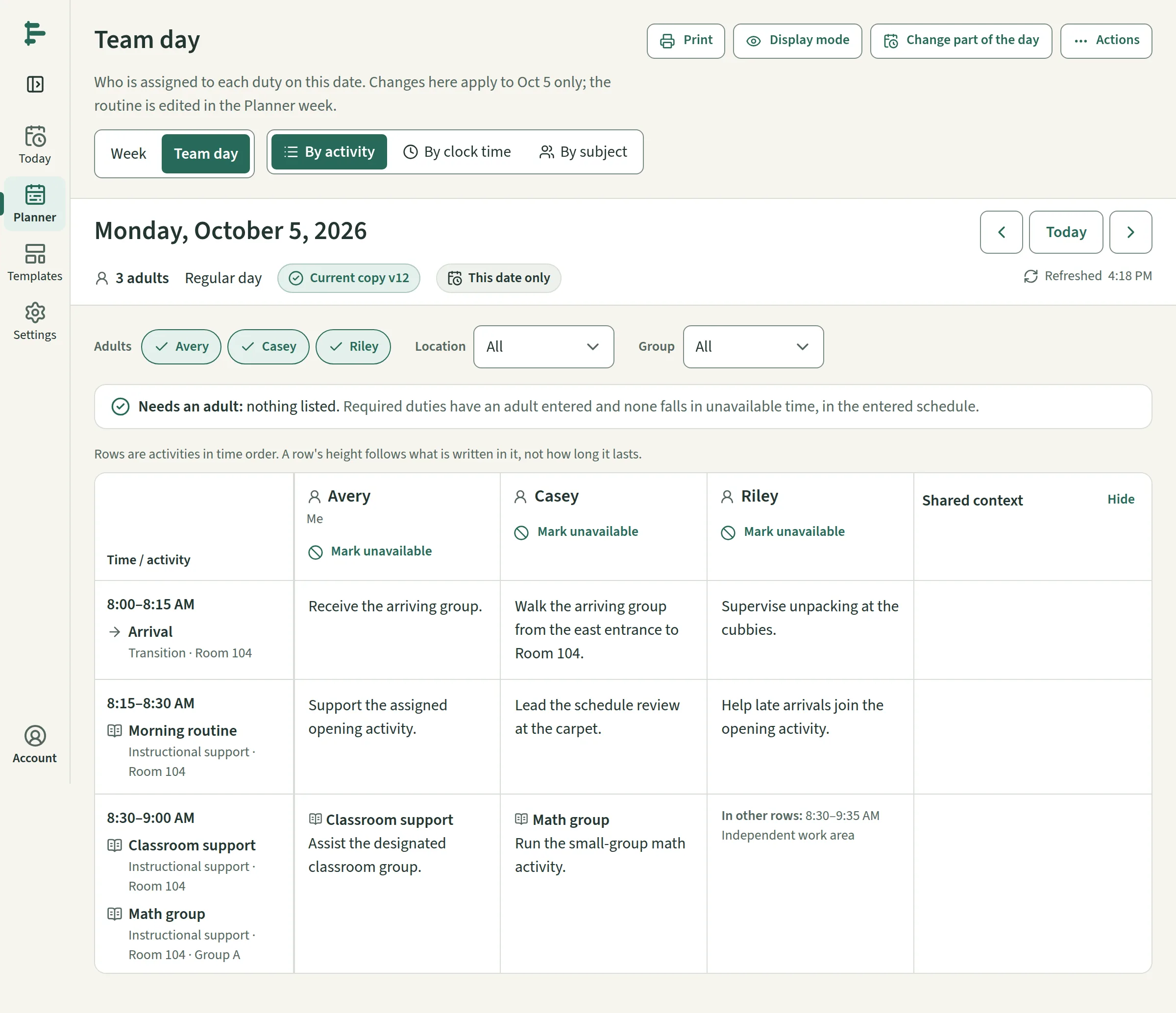
Vahzor's own product: a scheduling tool for school paraprofessionals that keeps one routine, resolves it for each date, and produces the personal day, the classroom board, the printouts and the shared copies from the same record.
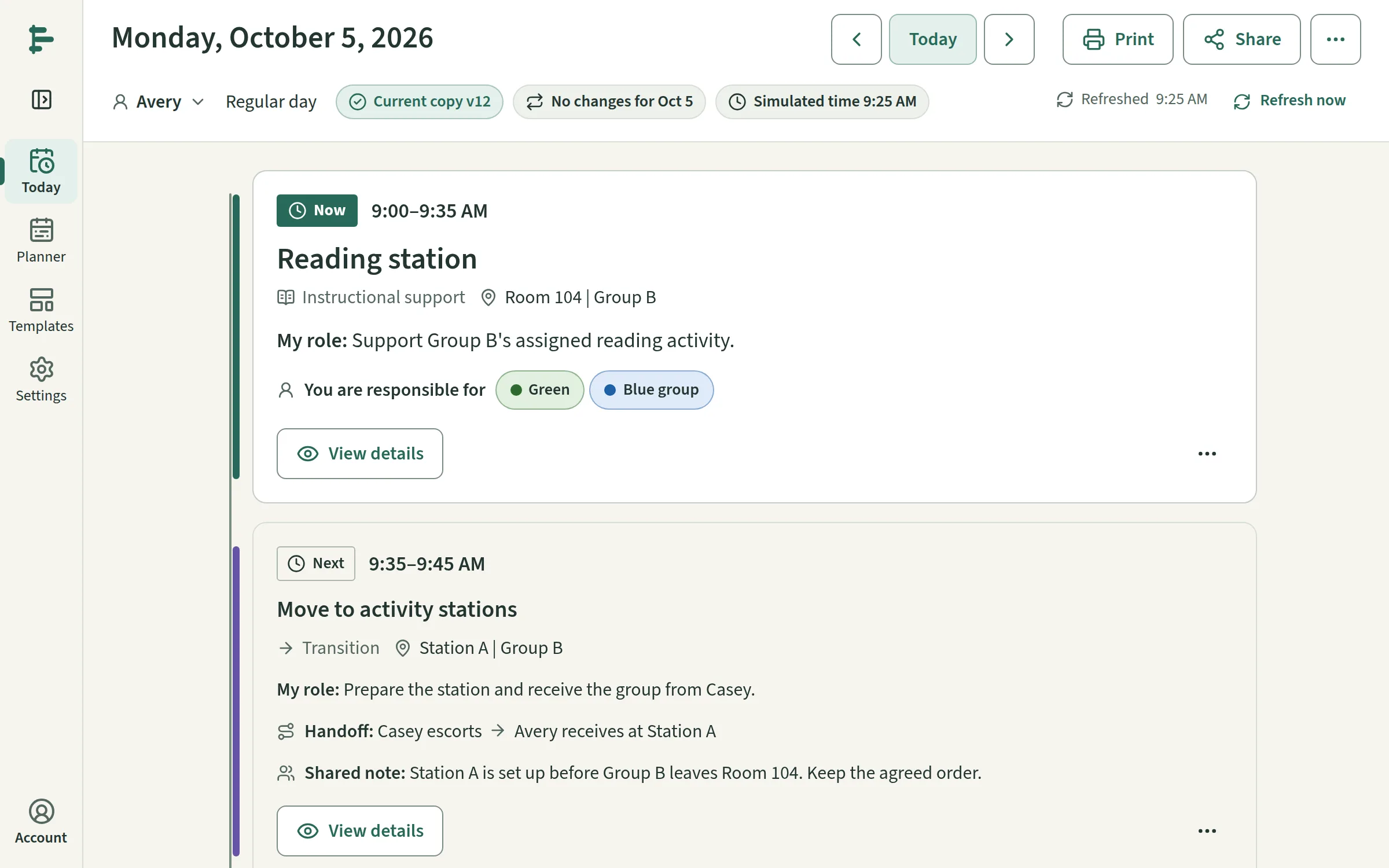
The workspace, the people and the dates shown are the product's own fictional example, built for demonstration.
- What it is
- Website and application
- Whose
- Vahzor product
- Status
- Live at paraschedule.com; mobile app built, store release ahead
See it working.
Overview
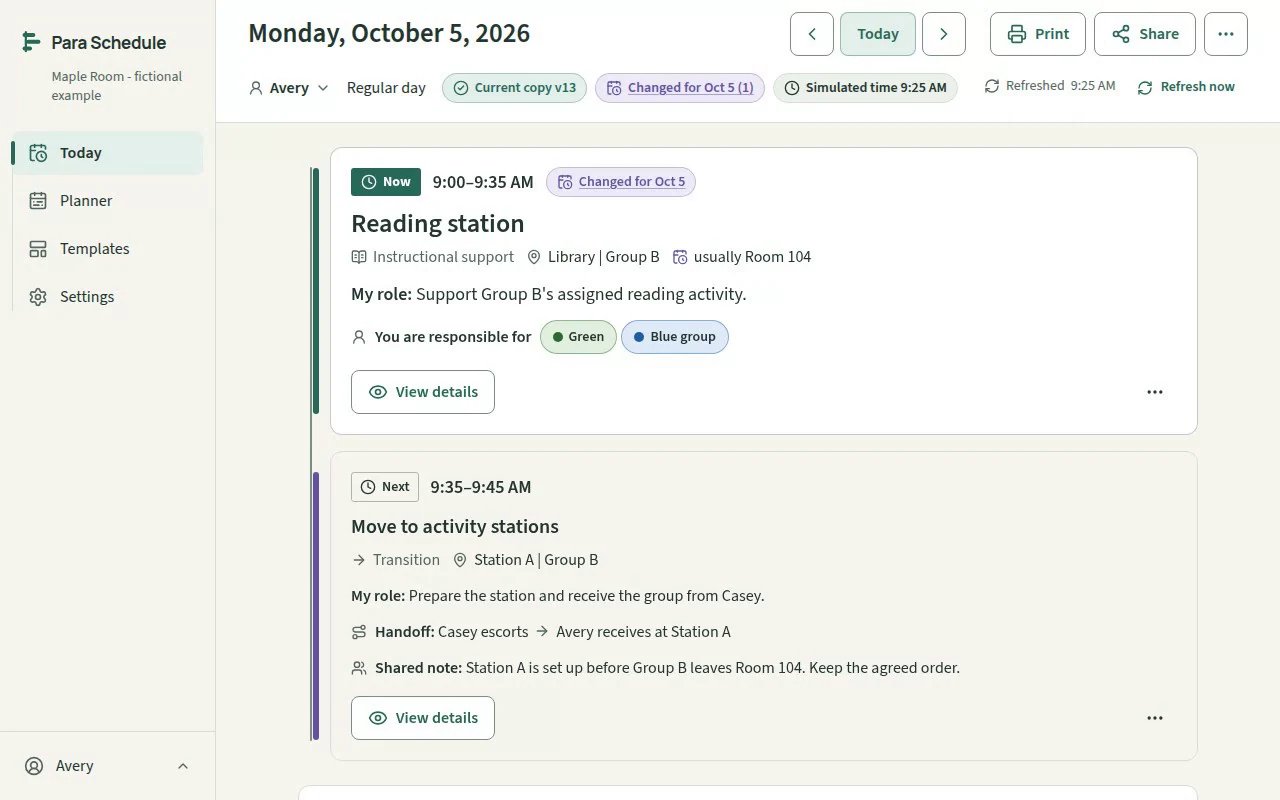
Para Schedule is Vahzor's own product: a scheduling tool for paraprofessionals in U.S. schools, most of them in special education, who are handed assignments by a teacher or administrator and have no adequate tool for turning them into a trustworthy day. Vahzor designed and built the public website, the signed-in application, and the companion app for Android and iOS, from one codebase.
The problem
A para's day is exact — an 8:07 to 8:22 duty is exactly that — and it changes one date at a time: an assembly day, a substitute, a colleague out. The options were a purchased static template, which cannot record a change, or a district staffing tool that treats the para as an allocation rather than the person doing the work.
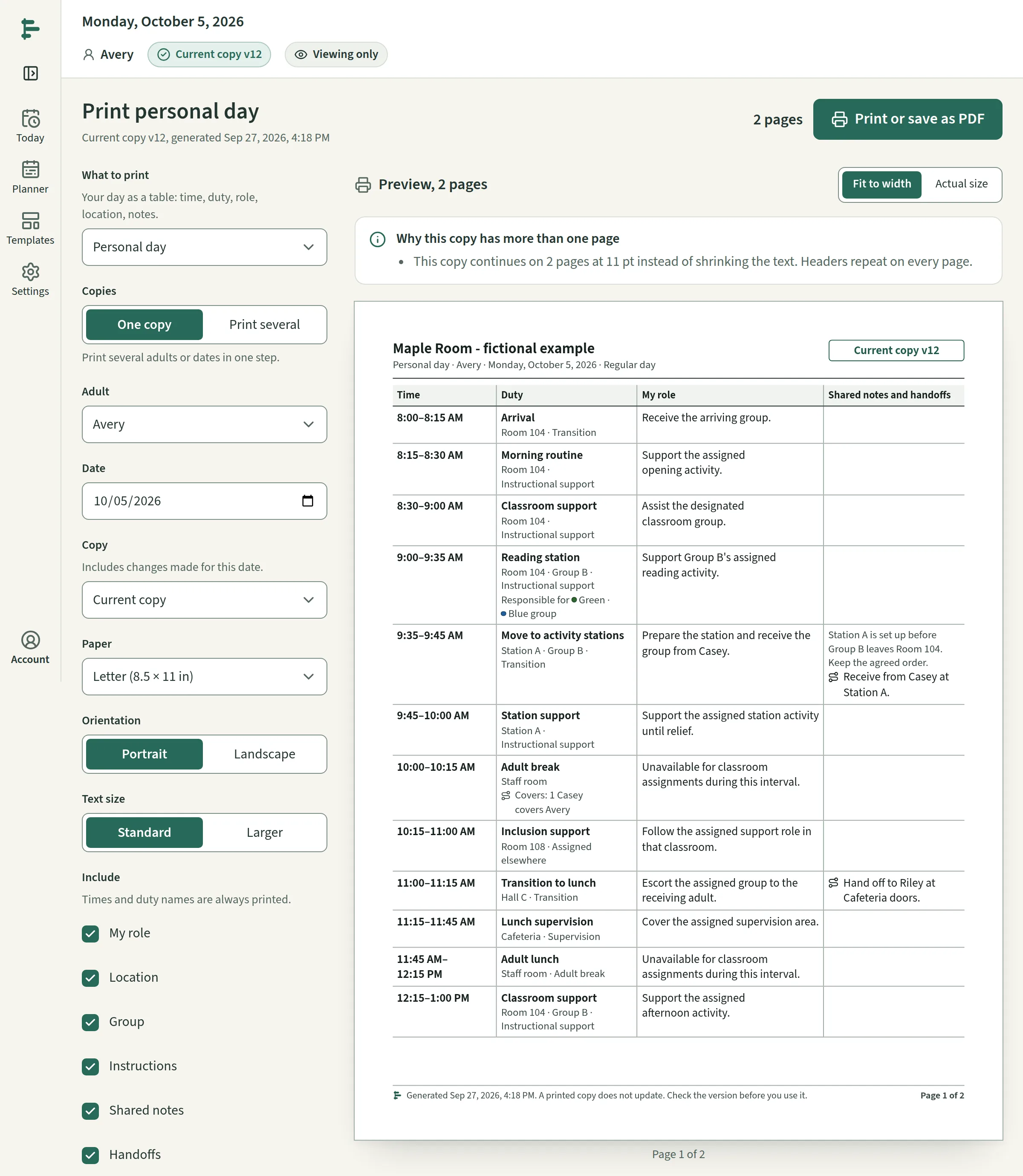
The working copy is often paper. Some districts prohibit personal phones during the day, so a printed daily sheet, a badge card or a substitute handoff is not a fallback — it is the product, and it has to be accurate after every change.
The solution
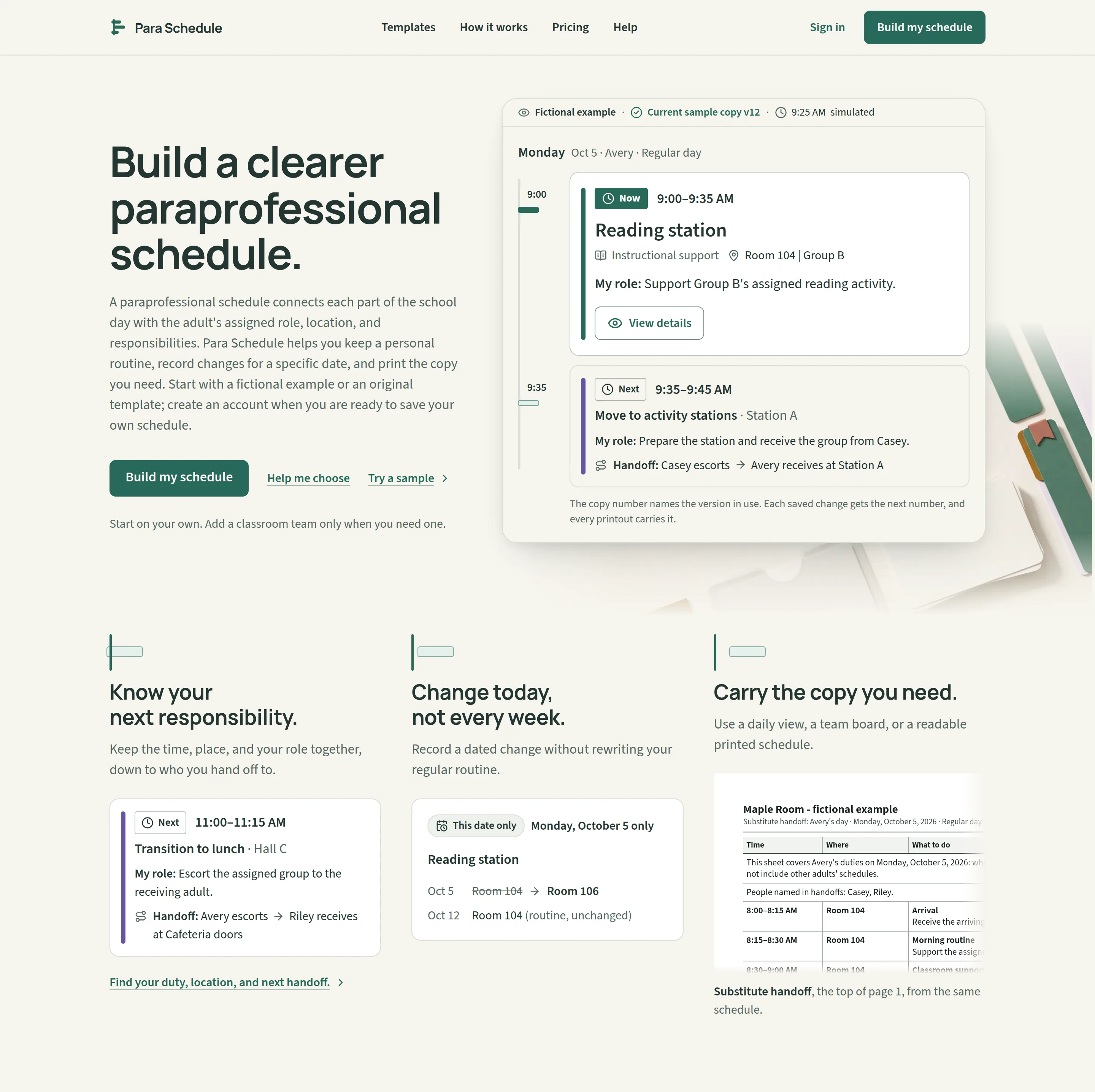
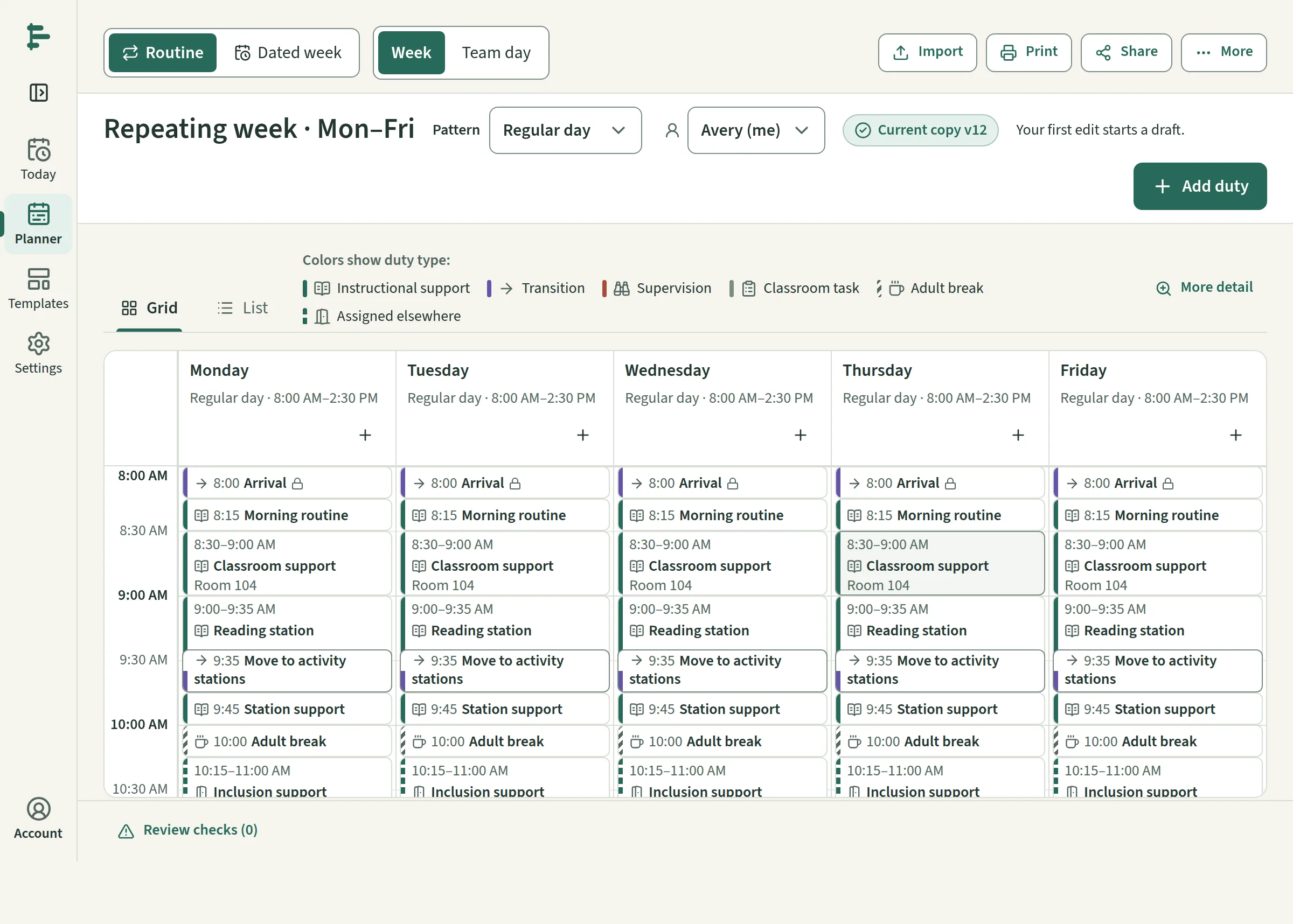
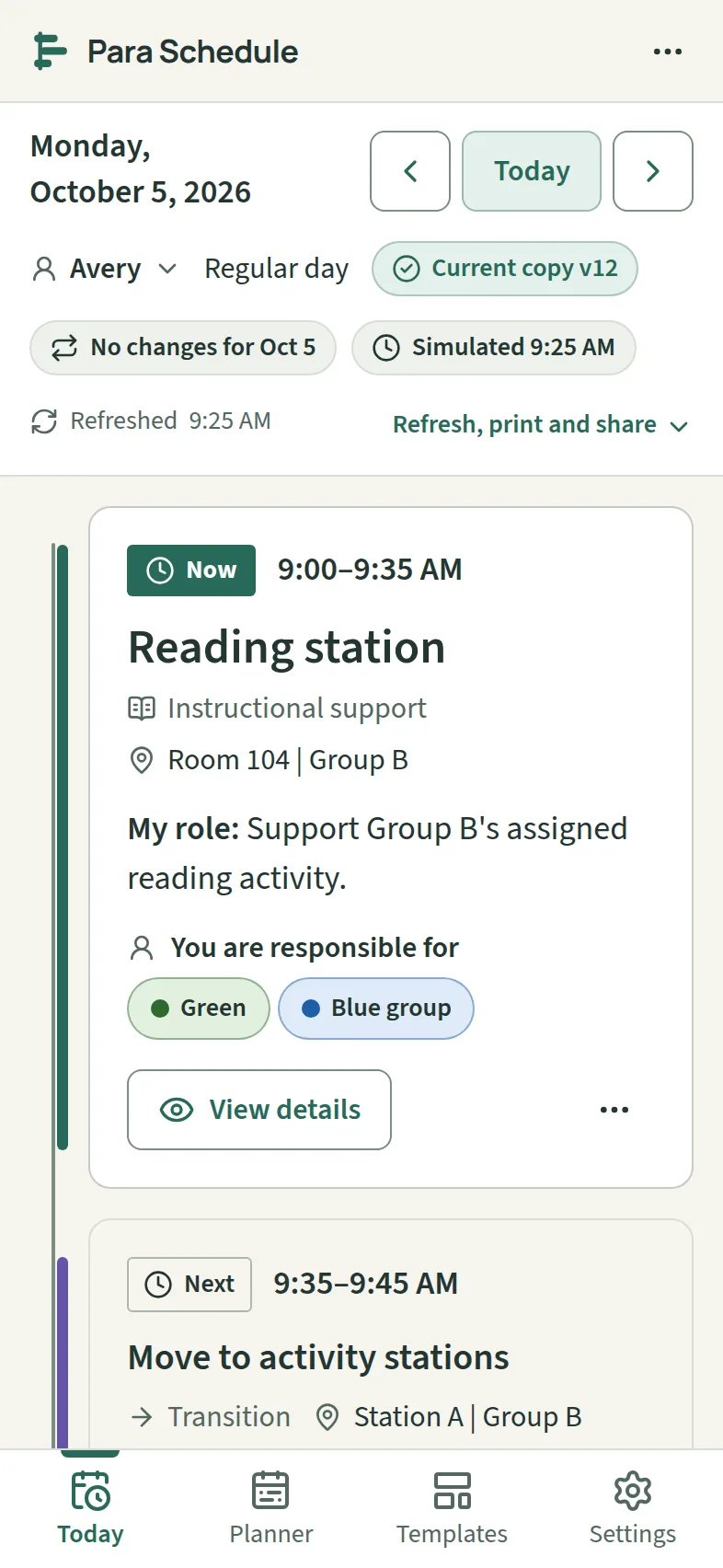
One maintained schedule, resolved per date. A repeating routine, named day types and dated exceptions produce each day, and the personal day, the personal week, the classroom team board, every printout and every shared copy read that same resolved day. A change for one date never rewrites the routine, and past versions and unaffected dates are kept.
Paper is a first-class output. Five print presets are laid out as real paginated documents — a longer day continues onto a second page at a readable size rather than shrinking — and every page carries the version, the date and the time it was generated, because a printed copy does not update.
Sharing is by name and read-only. An invited viewer signs in to read exactly the adult, the dates and the fields the owner granted; adults on the roster never need accounts. The product records assignments the school made and never claims to authorize them: its states are Draft and Current copy, never approved or compliant.
Everything shown anywhere — the website's examples, the application's seed, these captures — is one fictional workspace, labelled as such on screen.
Screens
Technical notes
- One Next.js codebase serves the public site and the authenticated application: TypeScript throughout, Tailwind v4 over the design system's tokens as CSS custom properties, Drizzle ORM on SQLite (libsql) — a file locally, hosted in production — and server-side sessions.
- The Android and iOS app is a Vite build of the same components and domain modules, packaged with Capacitor. It signs in through a bearer-token route to the same server, holds no database or secrets, and sells nothing — purchases stay on the website. It is built and tested; publishing it to the stores is a step still ahead.
- The domain — resolving a day, its checks, its projections — is pure and unit-tested; browser journeys run in Playwright against a seeded database; and the project's automated accessibility scans of the public pages, at desktop and phone widths, return zero WCAG 2.1 A/AA violations.
- Billing runs through Stripe Checkout with a free plan and a paid one; email through Resend. Both are configured entirely by environment, and a preview deployment shows no checkout and charges nothing.
Have a similar project?
Describe what you are trying to build or improve, and Vahzor will help define a practical path to it.
Next: WBSI